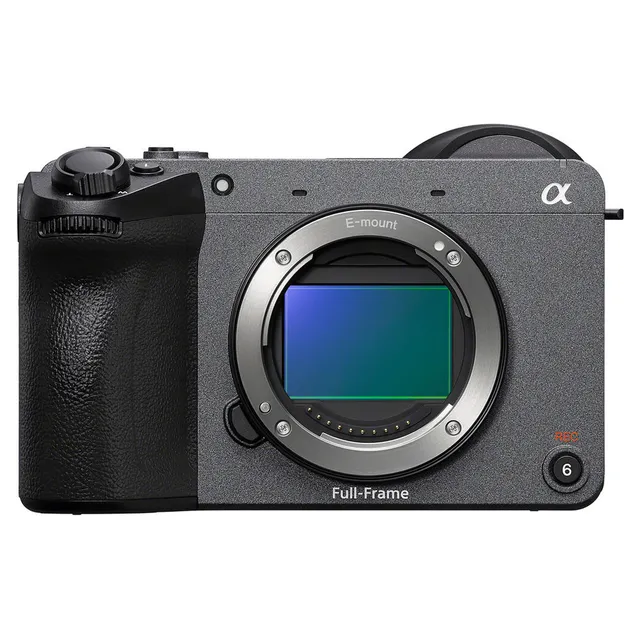
Technical specifications
- Sensor
- Full-Frame CMOS
- Sensor Size
- 35.9 x 23.9 mm
- Megapixels
- 33
- Mount
- Sony E
- Max Resolution
- 4K DCI (4096x2160)
- Max Frame Rate
- 120fps @ 1080p
- Codec
- XAVC S-I, XAVC HS, XAVC S, H.265, H.264
- Dynamic Range
- 15 Stops
- ISO Range
- ISO 50–204800
- Log / Gamma
- Sony S-Log 3, HDR-HLG, S Cinetone, Standard, Rec709
- Autofocus
- Phase-detect, 759 points
- Stabilization
- Sensor-Shift, 5-Axis
- Ports
- 1x HDMI, 1x USB-C 3.0 / 3.1/3.2 Gen 1, 1x 1/8" / 3.5 mm TRS, 1x 1/8" / 3.5 mm TRS Stereo Headphone, 1x USB-C, 1x Micro-USB
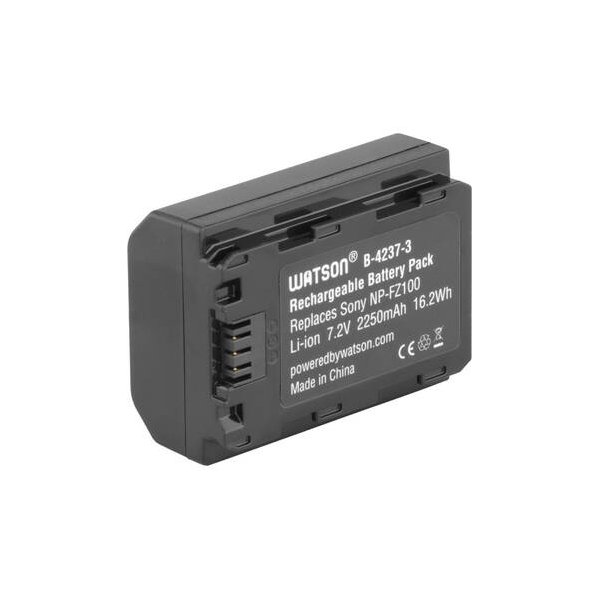
- Battery
- NP-FZ100
- Weight
- 594g
- Dimensions
- 129.7 x 103.7 x 77.8 mm
Add your voice
Your ratings help other filmmakers choose the right camera.
Own it?
What do you use this for?
Field guide
Overview
The Sony ILME-FX2 is a professional-grade interchangeable lens digital camera designed for high-end cinematography and content creation. Positioned as a compact, powerful tool for filmmakers, it offers advanced features like Log shooting, extensive customization, and professional audio handling via an optional XLR handle unit. It is built to meet the demands of both narrative productions and run-and-gun documentary work, providing a robust platform for those who require high-quality video output and flexible post-production workflows.
The camera features a 35mm full-frame CMOS sensor, delivering high-resolution imagery with advanced subject recognition autofocus. It supports a wide range of professional recording formats, including XAVC HS and XAVC S-I, and offers sophisticated exposure control, including Cine EI and Flexible ISO modes. With its compact form factor and advanced cooling system, it is designed for extended shooting sessions in various environments.
This camera is ideal for cinematographers and content creators who need a reliable, high-performance camera that can handle complex production requirements. Whether you are shooting a feature film, a documentary, or a high-end interview, the FX2 provides the necessary tools to achieve professional results, including advanced audio recording, precise exposure monitoring, and seamless integration into professional post-production pipelines.
Pros & Cons
Pros
Full-frame CMOS sensor provides excellent image quality and dynamic range for professional cinematography.
Advanced subject recognition autofocus ensures sharp focus on subjects, including humans, animals, and vehicles.
Supports professional codecs like XAVC S-I (Intra) for high-quality, flexible post-production workflows.
Compact and lightweight design makes it suitable for handheld, gimbal, or drone-based shooting.
Includes an XLR handle unit (ILME-FX2 model) for professional audio input and control.
Cons
4K120 recording may involve a sensor crop, which can affect the field of view of your lenses.
High-performance features like 4K recording can lead to heat buildup, requiring careful management in hot environments.
The camera's advanced features and menu system may have a steep learning curve for beginners.
Requires high-speed memory cards (CFexpress Type A or high-speed SD) for maximum performance, which can be expensive.
Some advanced features are disabled when using certain lenses or in specific shooting modes, limiting flexibility.
Best Settings
Narrative Filmmaking
- Picture Profile: S-Log3 for maximum dynamic range and color grading flexibility.
- Codec: XAVC S-I 4K (Intra) for high-quality, edit-friendly files.
- Frame Rate: 23.98p or 24p for a cinematic look.
- Audio: Use the XLR handle unit with manual gain control for professional audio capture.
Documentary / Run-and-Gun
- Picture Profile: S-Cinetone for a ready-to-use cinematic look without heavy grading.
- Codec: XAVC S 4K for a balance of quality and file size.
- Frame Rate: 23.98p or 59.94p for smooth motion or slow-motion options.
- Autofocus: Continuous AF with Subject Recognition enabled for reliable tracking.
Interview & Talking Head
- Picture Profile: S-Cinetone or standard profile for natural skin tones.
- Codec: XAVC S 4K.
- Frame Rate: 23.98p or 29.97p.
- Audio: XLR input with low-cut filter enabled to minimize background noise.
Slow Motion
- Codec: XAVC S-I 4K or XAVC S 4K.
- Frame Rate: 59.94p or 119.88p (note: 119.88p may have a crop factor).
- Settings: Set [Fixed/Variable Select] to [Variable] and [FPS Select] to the desired frame rate.
Common Issues
Overheating
What's happening: The camera displays an overheating warning icon or shuts down during extended 4K recording. Why: High-performance 4K recording generates significant heat, especially in warm environments. Fix: Turn off the camera and allow it to cool down. Ensure the air vents are not blocked. Prevention: Use a tripod, avoid direct sunlight, and set [Auto Power OFF Temp.] to [High] if necessary.
Memory Card Errors
What's happening: The camera displays a memory card error or cannot record. Why: The card may be incompatible, damaged, or formatted incorrectly. Fix: Format the card using the camera's [Format] function. If the error persists, try a different, compatible card. Prevention: Always format cards in the camera before use and avoid removing them while the access lamp is lit.
Autofocus Issues
What's happening: The camera struggles to focus or loses track of the subject. Why: The subject may have low contrast, be in a dark environment, or be moving too fast for the current settings. Fix: Check the focus mode and area settings. Ensure the subject is within the focus area and has sufficient contrast. Prevention: Use appropriate focus modes (e.g., Continuous AF for moving subjects) and ensure the lens is clean and properly attached.
Audio Noise
What's happening: Unwanted noise is recorded in the audio. Why: Wind noise, low-frequency vibrations, or improper gain settings. Fix: Enable the low-cut filter on the XLR handle unit and adjust the audio recording levels manually. Prevention: Use a wind screen for the microphone and monitor audio levels using headphones.
FAQ
- Can the ILME-FX2 shoot 4K at 120fps?
Yes, the camera supports high frame rate recording, but please note that 4K120 may involve a sensor crop, which will change the effective field of view of your lenses.
- What memory cards are compatible with the ILME-FX2?
The camera supports CFexpress Type A memory cards and SD memory cards (UHS-I, UHS-II compatible). For high-bitrate recording, CFexpress Type A or high-speed SD cards (V90 or higher) are recommended.
- Does the ILME-FX2 have built-in ND filters?
The manual does not explicitly list built-in ND filters as a feature for this model. Please check the physical camera body or official specifications for confirmation.
- How do I update the firmware on the ILME-FX2?
You can update the firmware by downloading the update file from the Sony support website, saving it to a memory card, and using the [Version] menu item in the [Setup] tab.
- Can I record audio in 4 channels?
Yes, you can record 4-channel audio when using the XLR handle unit or a compatible audio accessory attached to the Multi Interface Shoe.
- What is the maximum recording time for movies?
The maximum continuous recording time for a single movie shooting session is approximately 13 hours, subject to battery life and temperature conditions.
- Does the ILME-FX2 support Log shooting?
Yes, the camera supports Log shooting, including modes like Flexible ISO, Cine EI, and Cine EI Quick, which are designed for professional color grading workflows.
- How do I reset the camera to factory settings?
You can reset the camera by selecting MENU → (Setup) → [Reset/Save Settings] → [Setting Reset] → [Initialize] → [Enter].