Technical specifications
- Sensor
- (Full-Frame) Stacked CMOS
- Sensor Size
- 35.9 x 24 mm
- Megapixels
- 50.1
- Mount
- Sony E
- Max Resolution
- 6K (7680x4320)
- Max Frame Rate
- 240fps @ 1080p
- Codec
- XAVC S-I, XAVC HS, XAVC S, H.265, H.264
- Dynamic Range
- Approximately 15 stops
- ISO Range
- ISO 50–102400
- Log / Gamma
- HDR-HLG, Sony S-Log 2, Sony S-Log 3
- Autofocus
- Phase-detect, 759 points
- Stabilization
- Sensor-Shift, 5-Axis
- ND Filter
- None
- Ports
- 1x HDMI, 1x 1/8" / 3.5 mm TRS Stereo Headphone, 1x 1/8" / 3.5 mm TRS, 1x USB-C, 1x PC Flash Sync, 1x RJ45 Data, 1x Sony Multi/Micro-USB Data, 1x USB-C Data Output (Shared with Power Input)
- Battery
- 1x NP-FZ100 Rechargeable Lithium-Ion, 7.2 VDC, 2280 mAh (Included)<br>• Approx. 430 Shots
- Weight
- 652g
- Dimensions
- 128.9 x 96.9 x 69.7 mm
- MSRP
- $6,499
Add your voice
Your ratings help other filmmakers choose the right camera.
Own it?
What do you use this for?
Field guide
Overview
The Sony α1 (ILCE-1) is a powerhouse, designed as a true hybrid flagship that refuses to compromise between high-resolution stills and professional-grade video. It sits at the top of the Sony Alpha lineup, competing directly with high-end cinema cameras and flagship sports DSLRs. For the cinematographer, it offers an incredible array of professional tools, including 8K recording, 4K at up to 120fps, and a robust selection of codecs like XAVC S-I, making it a versatile choice for everything from high-end documentary work to fast-paced commercial productions.
What sets the α1 apart is its ability to handle massive data throughput without sacrificing image quality. The manual highlights its support for CFexpress Type A cards, which are essential for the high bitrates required by its 8K and high-frame-rate modes. It also features advanced heat management settings, allowing users to prioritize performance under demanding conditions. The camera is built for professionals who need a reliable, high-performance tool that can switch between demanding stills and video workflows seamlessly.
This camera is an ideal choice for filmmakers who need a compact, high-resolution system that doesn't require a massive rig. Whether you are shooting high-end interviews, run-and-gun documentaries, or need a B-cam that matches the quality of larger cinema cameras, the α1 provides the necessary resolution, dynamic range, and codec flexibility to fit into any professional production pipeline.
Pros & Cons
Pros
8K recording capabilities provide massive resolution for high-end production and reframing in post.
4K at 120fps allows for high-quality slow motion without sacrificing significant resolution.
Support for XAVC S-I (Intra) codec ensures high-quality, edit-friendly footage.
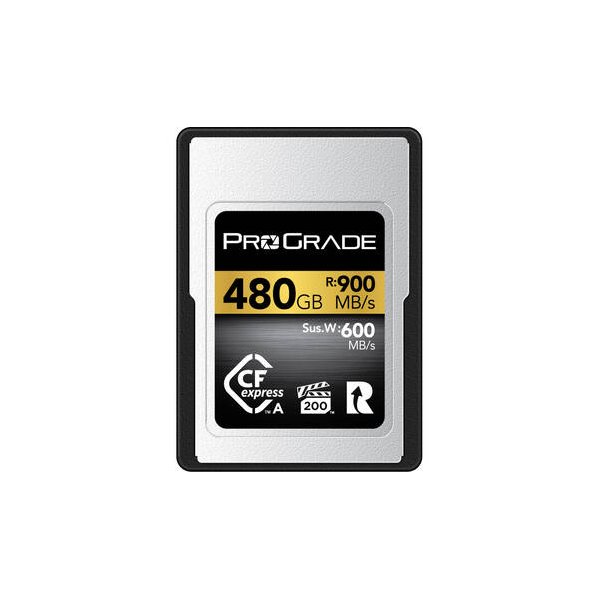
Dual card slots supporting CFexpress Type A cards provide the necessary speed for high-bitrate recording.
Advanced heat management settings allow for extended recording times in demanding environments.
Cons
High-bitrate 8K and 4K120 recording can lead to significant heat buildup, potentially limiting recording times.
CFexpress Type A cards are expensive and necessary for the highest quality recording modes.
The camera's compact size can make it prone to overheating during long, continuous high-resolution shoots.
Complex menu system requires significant time to master for quick on-set adjustments.
The camera cannot be powered via the Multi/Micro USB terminal, requiring the use of the USB Type-C port.
Best Settings
Narrative Filmmaking
Use XAVC S-I 4K at 24p for the highest quality, most edit-friendly footage. Set your Picture Profile to S-Log3 for maximum dynamic range, and use Gamma Display Assist to monitor your image accurately on the LCD.
Documentary / Run-and-Gun
Use XAVC S 4K at 60p to allow for slight slow motion while maintaining high resolution. Set the camera to 'Auto' or 'Program Auto' if lighting conditions change rapidly, but keep an eye on your ISO range limit to prevent excessive noise.
Interview & Talking Head
Use XAVC S-I 4K at 24p or 30p. Set your Picture Profile to a standard profile like PP3 (ITU709) if you want a ready-to-use look, or S-Log3 if you plan to color grade. Ensure 'Audio Recording' is set to 'On' and monitor levels using the 'Audio Level Display'.
Slow Motion
Use S&Q mode. Note that 4K 120p/100p recording is available, but be aware that this may disable certain features like APS-C shooting. Always ensure you are using a VPG200-rated CFexpress Type A card to avoid recording interruptions.
Common Issues
Overheating during high-resolution recording
What's happening: The camera displays an overheating warning or shuts down during 8K or 4K 120p recording. Why: High-bitrate recording generates significant heat, especially in warm environments. Fix: Set [Auto Power OFF Temp.] to [High] in the [Power Setting Option] menu. Use a tripod to avoid holding the camera, and keep it out of direct sunlight. Prevention: Use a CFexpress Type A card to improve data transfer efficiency and reduce the load on the camera's internal processing.
Memory card errors
What's happening: The camera displays a warning icon or 'NO CARD' message. Why: The card may be incompatible, damaged, or not formatted correctly. Fix: Ensure the card is a supported type (CFexpress Type A or UHS-II SD). Format the card using the camera's [Format] function in the [Media] menu. Prevention: Always format new cards in the camera before first use and avoid removing the card while the access lamp is lit.
Autofocus not performing as expected
What's happening: The camera struggles to lock focus on fast-moving subjects. Why: The focus mode or area settings may not be optimized for the subject's movement. Fix: Ensure the focus mode is set to [AF-C] (Continuous AF) and the focus area is set to [Tracking]. Adjust [AF Tracking Sensitivity] to [Responsive] for faster subjects. Prevention: Regularly update lens firmware and ensure the lens is compatible with the camera's phase-detection AF system.
Audio recording issues
What's happening: No sound is recorded, or the audio level is too low/distorted. Why: Incorrect audio settings or microphone connection. Fix: Check [Audio Recording] is set to [On]. Adjust [Audio Rec Level] in the [Audio Recording] menu. If using an external mic, ensure it is properly connected to the 3.5mm jack. Prevention: Always perform a test recording and check the [Audio Level Display] on the screen before starting a take.
FAQ
- Can the Sony α1 shoot 4K at 120fps?
Yes, the Sony α1 can record 4K at 120fps. This is available in the S&Q mode or standard movie mode, but ensure you are using a high-speed memory card, such as a CFexpress Type A (VPG200 or higher) or V90 SD card, to handle the data rate.
- What memory cards are compatible with the Sony α1?
The Sony α1 supports CFexpress Type A memory cards and SD memory cards (UHS-I and UHS-II compatible). For high-bitrate recording like 8K or 4K 120p, CFexpress Type A (VPG200 or higher) is recommended.
- Does the Sony α1 overheat when recording 8K?
The camera can get warm during continuous high-resolution recording. To mitigate this, you can set 'Auto Power OFF Temp.' to 'High' in the menu, which allows the camera to continue recording at higher temperatures.
- Can I power the Sony α1 via USB?
Yes, you can supply power to the camera via the USB Type-C terminal using a USB-PD (Power Delivery) compatible device. Note that the Multi/Micro USB terminal cannot be used for power supply.
- How do I clean the image sensor on the Sony α1?
You can perform sensor cleaning via the menu: MENU → (Setup) → [Setup Option] → [Anti-dust Function] → [Sensor Cleaning]. Ensure the battery is sufficiently charged before starting.
- Does the Sony α1 support 4-channel audio recording?
Yes, the Sony α1 supports 4-channel audio recording when a compatible accessory is attached to the Multi Interface Shoe. You can configure this in the [Shoe Audio Set.] menu.
- Can I use A-mount lenses on the Sony α1?
Yes, you can use A-mount lenses with the Sony α1 by using a compatible Mount Adaptor (LA-EA3 or LA-EA5). Note that functionality may vary depending on the specific lens.
- How do I reset the Sony α1 to factory settings?
You can reset the camera by going to MENU → (Setup) → [Reset/Save Settings] → [Setting Reset] → [Initialize]. This will reset all settings to their defaults.
Recommended Accessories
Related comparisons
The R5 Mark II offers 8K 60p and internal RAW for filmmakers; the A1 delivers speed, resolution, and dynamic range for hybrid shooters.
See full comparison a1 vs Z9The Nikon Z9 is a robust workhorse for demanding productions; the Sony a1 is a compact speed demon for ultimate versatility.
See full comparison