Technical specifications
- Sensor
- Full-Frame CMOS
- Sensor Size
- 36 x 24 mm
- Megapixels
- 45
- Mount
- Canon RF
- Max Resolution
- 6K (8192x4320)
- Max Frame Rate
- 120fps @ 4K DCI
- Codec
- H.265, H.264
- ISO Range
- ISO 50–102400
- Log / Gamma
- Canon Log, Canon Log 3
- Autofocus
- Phase-detect, 1053 points
- Stabilization
- Sensor-Shift, 5-Axis
- Ports
- 1x Micro-HDMI, 1x 1/8" / 3.5 mm TRS Stereo Headphone, 1x 1/8" / 3.5 mm TRS, 1x USB-C, 1x Canon N3 Remote, 1x PC Flash Sync, 1x USB-C (USB 3.2 / 3.1 Gen 2) Data Output (Shared with Power Input)
- Battery
- 1x LP-E6NH Rechargeable Lithium-Ion (Included)
- Weight
- 650g
- Dimensions
- 138 x 97.5 x 88 mm
- MSRP
- $4,499
Add your voice
Your ratings help other filmmakers choose the right camera.
Own it?
What do you use this for?
Field guide
Overview
The Canon EOS R5 is a powerhouse mirrorless camera that redefined the professional hybrid market upon its release. Designed for high-end stills and demanding video production, it sits at the top of the EOS R lineup, competing directly with flagship mirrorless bodies from Sony and Nikon. Its standout feature is the ability to capture 45-megapixel stills alongside high-resolution video, making it a versatile tool for photographers who also need to deliver cinema-grade footage.
The manual highlights the R5's advanced capabilities, including its dual card slots (CFexpress Type-B and SD UHS-II), which are essential for managing the massive data rates of its high-resolution video modes. It also features a highly customizable interface, including the ability to assign specific functions to the control ring on RF lenses and various buttons, allowing cinematographers to tailor the camera to their specific on-set workflow.
This camera is an excellent choice for professional photographers and videographers who need a single, reliable body for both disciplines. It is particularly well-suited for documentary, wedding, and commercial work where the ability to switch between high-speed burst photography and high-quality video recording is paramount.
Pros & Cons
Pros
Dual card slots (CFexpress Type-B and SD UHS-II) provide reliable, high-speed recording options for professional workflows
High-resolution 45MP sensor offers exceptional detail for both stills and high-quality video downsampling
Extensive customization options for buttons and dials allow for a personalized on-set experience
Advanced autofocus system with subject detection (people/animals) ensures sharp focus in dynamic shooting environments
In-body image stabilization (IS mode) provides effective handheld shooting support even with non-IS lenses
Cons
High-resolution video recording can lead to significant internal heat buildup, potentially limiting continuous recording times
The camera's high-performance features, especially continuous shooting and high-res video, can drain the LP-E6NH battery quickly
Some advanced video features are not supported when using EF-S lenses or with movie cropping enabled
The camera's complex menu system and extensive custom functions may have a steep learning curve for new users
The camera is not waterproof and requires careful handling in dusty or wet environments despite its dust- and drip-resistant design
Best Settings
Narrative Filmmaking
Use Manual Exposure (M) mode to maintain consistent shutter speed and aperture. Set the frame rate to 24.00 fps for a cinematic look. Use Canon Log settings to maximize dynamic range for post-production color grading. Ensure the shutter speed is set to 1/48 sec. (or 1/50 sec.) to maintain the 180-degree shutter rule.
Documentary / Run-and-Gun
Use Aperture-Priority (Av) or Flexible-Priority (Fv) mode for quick exposure adjustments. Enable Movie Servo AF with Subject to Detect set to 'People' to ensure subjects remain in focus. Use the 'Standard' Picture Style for a ready-to-use look, or 'Neutral' if you plan to do light color correction.
Interview & Talking Head
Use Manual Exposure (M) mode. Set the aperture to a lower f-number (e.g., f/2.8 or f/4) to achieve a shallow depth of field. Use a fixed ISO (e.g., 400 or 800) to avoid exposure shifts. Ensure 'Movie Servo AF' is enabled with 'Face+Tracking' to keep the subject's eyes sharp.
Slow Motion
Use the 'High Frame Rate' movie setting. Note that sound is not recorded in this mode. Set the frame rate to 119.9 fps (NTSC) or 100.0 fps (PAL) for 1/4 speed playback. Ensure you are using a high-performance CFexpress card to handle the data rate.
Common Issues
Overheating during high-resolution recording
What's happening: The camera may stop recording or display a temperature warning icon when shooting 8K or high-frame-rate 4K video for extended periods. Why: High-resolution video processing generates significant internal heat. Fix: Stop recording and allow the camera to cool down. Use the 'Overheat control' setting (set to 'On') to help manage power and heat. Prevention: Use a tripod to avoid handheld heat transfer, and avoid recording in direct sunlight or high-ambient-temperature environments.
Autofocus struggling in low light
What's happening: The AF point turns orange and the camera fails to lock focus. Why: The subject may have low contrast, or the lighting is insufficient for the AF system. Fix: Use the AF-assist beam (if available on your flash/Speedlite) or switch to manual focus using the 'Focus guide' feature. Prevention: Ensure the lens is clean and the subject has sufficient contrast. Use a wider aperture if possible.
Card write errors
What's happening: The camera stops recording or displays a card error. Why: The card's writing speed may be too slow for the selected movie quality. Fix: Format the card using the camera's 'Format card' function. If the error persists, use a card that meets the required performance specifications. Prevention: Always use high-performance cards (CFexpress or high-speed UHS-II SD) for 8K and high-frame-rate recording.
FAQ
- Can the Canon EOS R5 record 8K video?
Yes, the Canon EOS R5 can record 8K video. However, recording 8K or 4K movies requires a stable card with a fast writing speed, such as a CFexpress Type-B card.
- What memory cards are compatible with the Canon EOS R5?
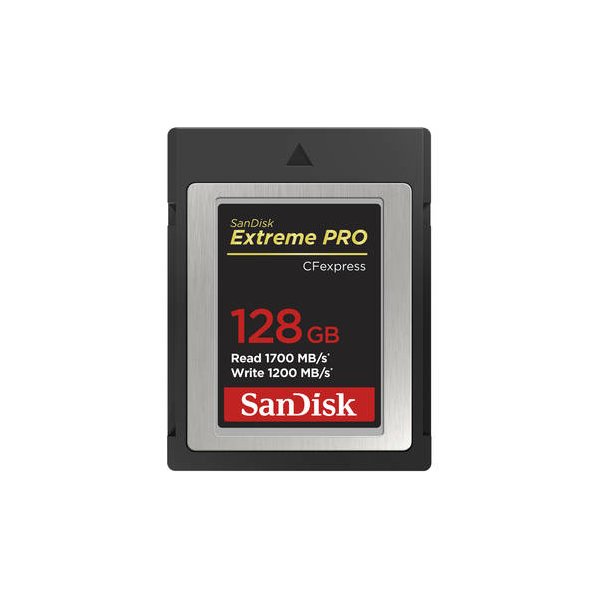
The Canon EOS R5 accepts CFexpress Type-B cards and SD/SDHC/SDXC memory cards (UHS-II and UHS-I supported).
- Does the Canon EOS R5 have in-body image stabilization?
Yes, the Canon EOS R5 features in-body image stabilization (IS mode), which provides effective stabilization even when the attached lens is not equipped with its own image stabilizer.
- Can I use EF lenses on the Canon EOS R5?
Yes, you can use EF and EF-S lenses on the Canon EOS R5 by attaching an optional Mount Adapter EF-EOS R.
- How do I charge the battery for the Canon EOS R5?
You can charge the battery using the provided Battery Charger LC-E6 or LC-E6E. You can also charge the battery inside the camera using the optional USB Power Adapter PD-E1.
- Is the Canon EOS R5 waterproof?
No, the Canon EOS R5 is not waterproof and cannot be used underwater. It is designed to be dust- and drip-resistant, but this does not guarantee complete protection against all elements.
- Can I record voice memos on the Canon EOS R5?
Yes, you can add voice memos to your still photos. These are recorded as WAV audio files with the same file number as the image.
- What is the maximum burst rate of the Canon EOS R5?
The Canon EOS R5 can shoot continuously at a maximum of approximately 12 shots/sec. with the mechanical shutter or electronic 1st-curtain shutter, and up to approximately 20 shots/sec. with the electronic shutter.
Recommended Accessories
Related comparisons
The Canon EOS R5 is a powerful hybrid for photo/video, while the R5 C is a dedicated cinema camera built for extended 8K recording.
See full comparison Canon EOS R5 vs a7S IIIThe Canon EOS R5 excels in resolution with 8K RAW; the Sony a7S III dominates low light and extended 4K video.
See full comparison