Technical specifications
- Sensor
- Super35 CMOS
- Sensor Size
- 23.1 x 12.99 mm
- Megapixels
- 21.2
- Mount
- Canon EF
- Max Resolution
- 6K (6144x3456)
- Max Frame Rate
- 120fps @ 1080p
- Codec
- ProRes
- Dynamic Range
- 13 Stops
- ISO Range
- ISO 100–25600
- Log / Gamma
- Blackmagic RAW, Rec.709
- Autofocus
- Contrast-detect (focus assist)
- Stabilization
- None
- ND Filter
- No built-in ND
- Ports
- 1x HDMI, 2x Mini XLR Mic/Line Input (+48 V Phantom Power), 1x 1/8" / 3.5 mm TRS Stereo Mic/Line, 1x 1/8" / 3.5 mm TRS Stereo Headphone, 1x Weipu SF610/S2 (12 to 20VDC), 1x USB-C (USB 3.2 / 3.1 Gen 1) Control (Shared with Video Output), 1x 1/8" / 3.5 mm (Timecode) Input (Shared with Mic/Line Input)
- Battery
- Sony L-Series
- Weight
- 1680g
- Dimensions
- 267 x 184.1 x 178 mm
- MSRP
- $1,995
Add your voice
Your ratings help other filmmakers choose the right camera.
Own it?
What do you use this for?
Field guide
Overview
The Blackmagic Pocket Cinema Camera 6K G2 is a powerful, compact cinema camera designed for filmmakers who prioritize image quality and a professional workflow over consumer-grade convenience. Positioned as a more accessible alternative to the 6K Pro, it retains the same Super 35mm sensor and EF lens mount, making it a workhorse for narrative, documentary, and commercial productions. It competes directly with high-end mirrorless cameras but distinguishes itself with a dedicated cinema-first operating system and raw recording capabilities.
What makes the 6K G2 stand out is its dual native ISO (400 and 3200), which provides exceptional low-light performance and 13 stops of dynamic range. The camera supports Blackmagic RAW, allowing for superior post-production flexibility, and offers high-frame-rate recording options, including 6K at 50fps and 4K/HD at up to 120fps (windowed). The inclusion of a tiltable LCD touchscreen and support for an optional battery grip makes it highly adaptable for various shooting styles.
This camera is ideal for cinematographers and content creators who need a reliable, high-quality image for professional projects. Whether you are shooting a talking-head interview, a fast-paced documentary, or a narrative short, the 6K G2 provides the tools necessary to capture cinematic footage without the bulk of traditional cinema rigs.
Pros & Cons
Pros
Super 35mm sensor with 13 stops of dynamic range delivers a true cinematic look.
Dual native ISO (400/3200) provides clean, low-noise images in both bright and low-light conditions.
Blackmagic RAW recording offers incredible flexibility in post-production for color grading.
EF lens mount provides access to a massive ecosystem of professional glass.
Tiltable LCD touchscreen improves ergonomics for low-angle or high-angle shots.
Cons
High frame rates like 4K120 or 6K60 often require windowing the sensor, which introduces a significant crop factor.
Lack of built-in ND filters (unlike the 6K Pro) requires external filters for outdoor shooting.
Battery life is limited; the optional battery grip is almost mandatory for long shooting days.
Autofocus performance is not as reliable as modern mirrorless cameras, making it less ideal for run-and-gun solo operators.
The camera body is relatively large and lacks the compact form factor of some competitors.
Best Settings
Narrative Filmmaking
Use Blackmagic RAW at 6K resolution with a 24fps project frame rate. Set the ISO to 400 for daylight or 3200 for low light to utilize the dual native ISO. Use a 180-degree shutter angle for natural motion blur.
Documentary / Run-and-Gun
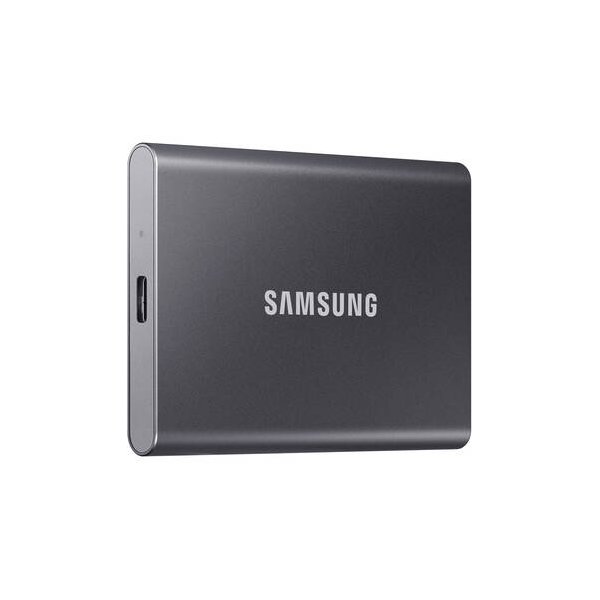
Record in ProRes 422 HQ for a balance between quality and file size. Keep the camera in 'Auto' exposure mode if lighting changes rapidly, but monitor the histogram closely. Use an external USB-C SSD for longer recording times.
Interview & Talking Head
Set the project frame rate to 25fps or 29.97fps depending on your region. Use the XLR input for professional audio, setting the channel source to 'XLR Mic' with phantom power if using a condenser microphone.
Slow Motion
Enable 'Off Speed Recording' and set the sensor frame rate to 60fps or 120fps (depending on resolution). Note that higher frame rates may require windowing the sensor, which will crop your field of view.
Common Issues
Dropped Frames
What's happening: The camera displays a dropped frame indicator on the LCD. Why: The storage media is not fast enough to keep up with the data rate of the selected resolution and codec. Fix: Check your card speed or switch to a faster CFast 2.0 card or USB-C SSD. You can set the camera to 'Stop Recording' in the record menu if dropped frames occur to avoid unusable footage. Prevention: Always use recommended media from the Blackmagic support website and format cards in-camera.
Overheating
What's happening: The screen brightness dims automatically or the camera shuts down. Why: High ambient temperatures (35ºC/95ºF+) or running the LCD at 100% brightness for extended periods. Fix: Reduce LCD brightness or move the camera to a cooler environment. Prevention: Use the camera's power-save settings to dim the display when inactive.
Audio Levels Too Low
What's happening: Recorded audio is extremely quiet. Why: You may have selected 'Line' level input while using a microphone, which requires 'Mic' level input. Fix: Go to the Audio tab in the settings menu and ensure the channel source is set to 'XLR Mic' or '3.5mm Mic' as appropriate. Prevention: Always check your audio input settings before starting a take.
FAQ
- Can the Blackmagic Pocket Cinema Camera 6K G2 record to an external SSD?
Yes, the camera features a high-speed USB-C expansion port that allows you to record directly to compatible USB-C flash disks. This is recommended for high-resolution and high-frame-rate recording.
- What is the dual native ISO of the Blackmagic Pocket Cinema Camera 6K G2?
The camera has a dual native ISO of 400 and 3200. This means the sensor is optimized for both low-light and bright daylight conditions to minimize noise.
- Does the Blackmagic Pocket Cinema Camera 6K G2 have built-in ND filters?
No, the 6K G2 model does not feature built-in ND filters. You will need to use external ND filters on your lenses for shooting in bright conditions.
- What lens mount does the Blackmagic Pocket Cinema Camera 6K G2 use?
The 6K G2 uses an active EF lens mount, allowing you to use a wide range of Canon EF-compatible lenses with autofocus and auto-exposure support.
- Can I record timecode on the Blackmagic Pocket Cinema Camera 6K G2?
Yes, the camera accepts SMPTE-compliant LTC timecode via the 3.5mm microphone input or the XLR input. It is automatically detected and embedded as metadata.
- How do I update the software on my Blackmagic Pocket Cinema Camera 6K G2?
You can update the camera software using the Blackmagic Camera Setup Utility on a computer. Connect the camera via USB and follow the on-screen instructions.
- Is the Blackmagic Pocket Cinema Camera 6K G2 screen tiltable?
Yes, the 6K G2 features a tiltable LCD touchscreen, allowing you to adjust the viewing angle for better ergonomics during shooting.
- What memory cards are recommended for the Blackmagic Pocket Cinema Camera 6K G2?
We recommend using the fastest UHS-II SD cards available for 6K and 4K recording. For high-resolution and high-frame-rate recording, CFast 2.0 cards or external USB-C flash disks are preferred.
Recommended Accessories
Related comparisons
The BMPCC 6K G2 offers an integrated screen and BRAW, while the Z CAM E2-S6 excels in modularity and high frame rates.
See full comparison Pocket Cinema Camera 6K G2 vs Pyxis 6KThe Pyxis 6K offers full-frame imagery and a modular design, while the BMPCC 6K G2 provides Super 35 and ProRes at a lower cost.
See full comparison